
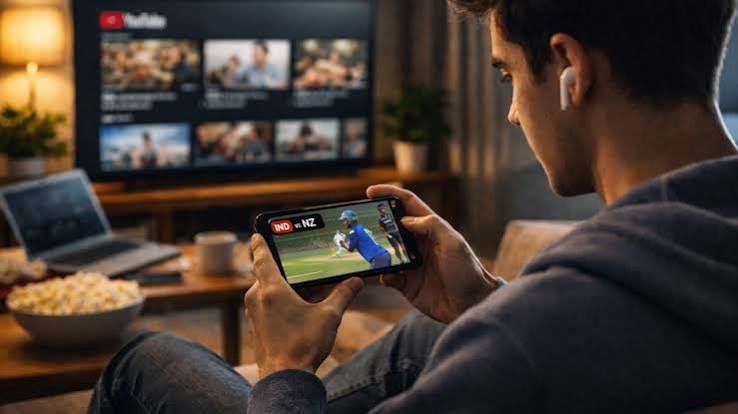

A close cricket match used to be followed through one main source: the television, radio, or the ground itself. Now a phone often sits beside the broadcast with a scorecard, group chat, player statistics, alerts, and live market information open at the same time. That second screen can add useful context, especially when a chase tightens or a partnership changes the direction of an innings. It can also make the match harder to follow if every app refreshes at a different moment. The better match-day habit is to decide what each screen is for before the first ball, rather than reacting to every notification once the game becomes tense.
A score no longer tells the whole story
A score such as 142 for 4 says little without the over number, target, required rate, wickets available, and recent passage of play. That is why live coverage works best when the basic match state is visible before any extra layer is added. Once those facts are clear, a reader may choose to read more on a separate live cricket page, but the score and match phase should still come first. A wicket shown on one screen without the preceding pressure can look more decisive than it really was. The same applies to a burst of boundaries that followed several quiet overs.
A few seconds of delay can change the viewing experience
Television, streaming apps, score services, and stadium feeds do not always arrive at exactly the same moment. One phone may vibrate with a wicket alert before the bowler has released the ball on a delayed stream. A group chat can spoil a boundary several seconds before it appears on screen. During a close finish, that gap becomes very noticeable. Viewers who want the broadcast to remain the main experience can turn off score alerts and keep the phone face down between overs. Those who prefer the fastest data can do the opposite and accept that the video may arrive later.
The same delay deserves attention when live prices or predictions appear beside the score. A figure can change because an event has already been registered by one data source while the viewer is still watching the previous ball. Treating every screen as perfectly synchronized creates confusion. A timestamp, over number, and recent-ball sequence give a much better reference than the feeling that everything labeled live must be happening at the same instant.
Notifications can crowd out the match
Cricket already provides natural pauses between deliveries, overs, reviews, and innings. Phones tend to fill every one of those gaps. A score alert leads to a message, the message leads to a social feed, and by the time attention returns to the broadcast, several balls may have passed. The problem is rarely a lack of information. It is having too many channels competing for the same few seconds. A simple match-day setup can reduce that friction by keeping one score source, muting unrelated alerts, and closing tabs that are no longer being used.
What belongs on a useful match-day screen
- Current score, over number, and target when a chase is underway.
- Recent-ball information that explains how the score changed.
- A clear timestamp or refresh indicator for live data.
- One reliable stream or score source instead of several duplicates.
- Muted non-match notifications during the period being watched.
- A visible spending limit if legal adult betting is part of the session.
Live markets add another clock to the experience
Live betting introduces decisions that move faster than ordinary pre-match browsing. Prices can shift after wickets, boundaries, reviews, injuries, or a change in required rate, and the viewer may feel pressure to react before the next delivery. That pressure is exactly why a fixed budget should be decided before the match. Money needed for rent, groceries, medicine, transportation, debt payments, or family expenses should stay outside the session. Adults should also check whether betting is permitted where they are located and avoid treating a short run of results as evidence that the next decision will work out.
There is also a practical reason to slow down. A viewer juggling the broadcast, scorecard, chat, and live market can easily act on stale information or misunderstand which ball has already been reflected in the price. Pausing long enough to confirm the match state is more sensible than trying to beat a refresh. If the session starts to feel urgent, frustrating, or difficult to close, the phone should stop being a second screen and return to being a phone.
The best second screen leaves space for the first one
A phone can make cricket richer when it supplies the detail that the broadcast cannot keep on screen all the time. It can show a partnership, recent overs, a bowling spell, or the exact equation in a chase. It becomes less useful when the viewer spends more time managing tabs than watching the match. The most workable setup is usually modest: one broadcast, one dependable score source, and only the extra information that genuinely answers a question. Cricket already has enough tension in the middle. The second screen should explain what is happening, not make every delivery feel like a race between apps.